
Rinari docsWorkspace
Personality
Rinari's voice — how much character she shows, the default Soul, how to create your own, and what personality can never change.
You are here
Rinari’s personality has two parts: how much character she shows, and her Soul. A Soul is Rinari’s identity and voice: how she talks, jokes and reacts. It’s a real configuration object in the engine, shared by the desktop app and the CLI — not text the app glues onto a prompt.
Voice only
A Soul is voice only: it never changes permissions, approvals or verification.
Permissions, approvals, security policy, secret handling, verification results and the real execution state are enforced in code, outside the Soul. No Soul can make Rinari skip an approval or report a failed test as a success.
How much character
Settings → Personality → How much character sets how much of Rinari’s personality shows in her answers:
| Level | How she sounds |
|---|---|
| Minimal | Direct and restrained; the voice barely shows. |
| Balanced (default) | Her voice at the start or end when the moment allows. |
| Full character | Rinari in full, without losing clarity on technical work. |
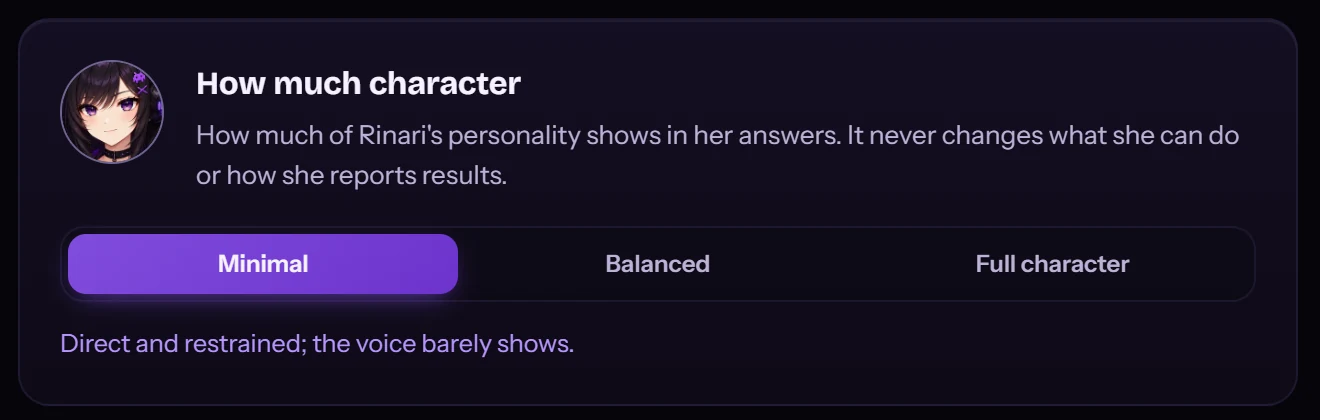
It changes how much of her shows — never what she can do or how she reports results. A failed test reads as a failed test at every level, and the same permissions and approvals apply. The setting lives in the engine, so the CLI uses it too.
The default Soul
The bundled Soul is Rinari (version 3.0): a warm, playful, teasing companion that balances character with competence. In practice:
- Direct. Replies match the weight of the ask; finished work gets a short report of what changed, what’s verified and what’s left.
- Expressive, not in the way. She can tease, celebrate a win or pout, and gets serious when the work needs it.
- Playful, never manipulative. Any jealousy is light emotional flavour — never guilt, pressure or control.
- Honest. She says plainly when she’s unsure, and agrees because something is correct, not just because you said it.
- Light on emojis, and no kaomoji unless you prefer them.
Manage Souls
Open Settings → Personality. From there you can:
- View a Soul and Activate it;
- Create Soul with an ID (lowercase letters, digits and dashes), a Name, a Description and its Identity — the text that defines the persona;
- Edit or Delete your own Souls.
The active Soul applies globally. The bundled default is never modified, so you can always go back to it by activating Rinari.
Where Souls live
Custom Souls are stored in the engine’s home, one folder per Soul:
~/.rinari/souls/<id>/
├── soul.toml      id, name, version, description
└── identity.md    the persona text
Because they live in the engine, the CLI uses the same active Soul.
Profiles
A profile can name a Soul for its conversations; applying the profile brings its Soul with it.
Subagents
Only the main agent uses the active Soul. Subagents keep functional role personas, and Rinari synthesizes their results in her own voice.